
C64.emu (C64 Emulator)
Robert BrogliaArcade
3.288.00 Reviews
- Version
- 1.5.85
- Installs
- 10.00K
- Age Rating
- Everyone
Screenshots
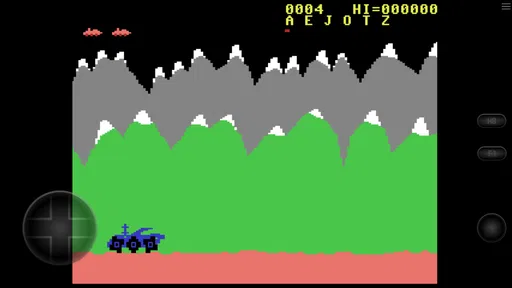
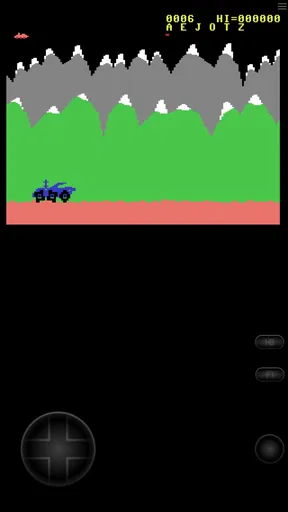
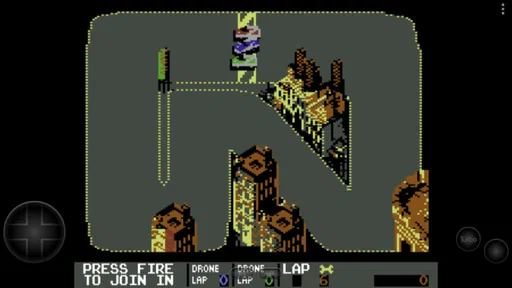
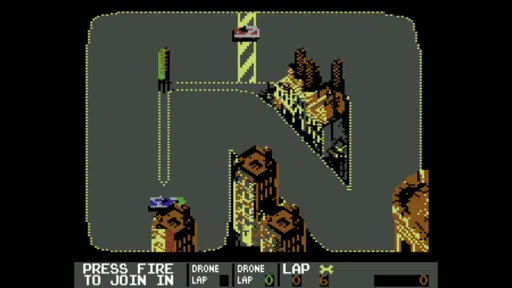
Our Review of C64.emu (C64 Emulator)
 Analysis by Appyee
I approached C64.emu less like a modern arcade release and more like a compact doorway into Commodore 64 software. That distinction matters. This is an emulator game in the arcade category, created by Robert Broglia, and its appeal depends on whether you already have a reason to revisit C64 titles or want to explore that older style of computing. It is not built around a new campaign, a stream of unlocks, or a contemporary reward loop. The main goal is to make classic C64 software usable on a modern mobile device.
That makes the experience unusually personal. If you remember loading games on a Commodore 64, the first successful launch can feel like progress even though the application is not handing out levels or achievements. If you are completely new to the platform, the early challenge is different: you must understand the relationship between the emulator, your legally obtained game files, the on-screen controls, and the original software’s own instructions. I found that this learning phase determines whether the app feels inviting or demanding.
How C64.emu turns setup into the first real goal
The first goal is not beating a stage. It is getting an old program running comfortably and learning how to interact with it. The store summary calls it a Commodore 64 emulator, and that is the right expectation. It provides the environment; the actual games and programs supply the content. Anyone expecting a self-contained collection of arcade games will be disappointed, because the experience depends on what C64 material the user brings to it.
For me, the most useful way to begin is with one familiar title rather than a large library. A single test game makes it easier to identify whether a problem comes from the file, the emulator configuration, or the controls. Once that title starts correctly, I can adjust the display and input approach before spending time organizing anything else. This simple workflow avoids the common mistake of treating an emulator like a ready-made game launcher.
The legal side is important as well. C64.emu does not change the ownership question around software files. I would use it with game images and programs that I have the right to use, rather than assuming that an emulator includes permission to download commercial material elsewhere. That is not a minor technical detail: it affects how quickly a new user can get started and whether the application fits their intended use.
The app costs $3.99, so the decision is easier for someone who already knows why they want a C64 emulator than for a curious player looking for a free sampler. Its age rating is Everyone, which suits the neutral nature of the tool, but that does not mean every imported game will feel suitable for every player. The content comes from the software being run, not from a modern in-app catalog.
What progress looks like when there are no modern unlocks
Traditional progress signals are mostly absent because this is not a conventional arcade game with a built-in campaign. There is no reason to expect a sequence of rewards, character upgrades, or a steadily expanding map. Instead, progress is practical. I measure it by launching a title without confusion, finding the right controls, saving a useful configuration, and returning to a game later without rebuilding the setup from scratch.
That kind of progress is easy to overlook. A player may spend an evening moving from awkward touch input to a more comfortable control method, then discover that older games become much more enjoyable. The improvement is real, but it is created by the user’s workflow rather than announced by the app. This is one of the strongest reasons to approach C64.emu as a tool for play rather than as a game with its own reward structure.
It also changes how I judge the rating. An average rating of 3.2 from around 671 ratings suggests a mixed experience rather than universal ease. I can understand why: experienced emulator users may value flexibility, while newcomers may judge the product by how quickly it resembles a polished mobile game. Those are very different standards. The figure is a useful warning to set expectations, not a substitute for deciding whether C64 software is personally appealing.
The current version is 1.5.85, and the minimum operating-system requirement reaches back to Android 2.3. That broad compatibility is helpful for users with older hardware, but it also reinforces the app’s utilitarian character. I would not choose it because I wanted the visual presentation or onboarding style of a newly designed mobile arcade title. I would choose it because access to C64 software matters more to me than modern presentation.
Difficulty comes from the source material and the controls
The difficulty curve is not controlled by one developer-designed campaign. It changes from title to title. Some C64 games can be understood immediately, while others may expect patience, memorized commands, or a willingness to read instructions outside the action. That variety is part of the platform’s character, but it can also make the first session feel uneven.
Touch controls are the biggest practical trade-off for arcade play. A phone screen can reproduce buttons, but it does not provide the same physical certainty as a dedicated joystick or keyboard. In slower games, this may be perfectly manageable. In fast action, repeated direction changes, diagonals, or simultaneous inputs can expose the limits of playing on glass. I would not blame every missed jump or lost life on the emulator, but I would factor the input method into the purchase decision.
A useful tip is to separate testing from serious play. I first check whether the virtual controls respond consistently, then I play a short section rather than judging the whole experience from one difficult attempt. If a title depends heavily on rapid reactions, an external controller may be a better match than touch input. If the game is turn-based, menu-driven, or comparatively slow, the phone interface becomes much less of a barrier.
The original software’s design can create another kind of difficulty: unclear objectives. Modern games usually teach their rules through prompts and tutorials. Older C64 titles often assume that the player will experiment, read a manual, or learn through repeated failure. C64.emu preserves access to that style rather than smoothing it away. I appreciate the authenticity, but I would not recommend it to someone who wants every goal explained clearly from the first minute.
Why the app can retain enthusiasts without chasing everyone
Retention here comes from variety and nostalgia, not from an endless stream of daily tasks. Once I have a working setup, the app can become a convenient shelf for revisiting different kinds of C64 software. One evening may be about arcade action; another may involve exploring a slower, more unusual program. The motivation is choosing what to revisit, not filling a progress bar.
That is a healthier fit for occasional play than for compulsive engagement. I can open the app after a long break and return to a familiar title without worrying about missing a limited event or losing a competitive position. At the same time, there is less pressure pushing me back. Users who need frequent rewards, fresh challenges, or a strong social layer may find the experience quiet and somewhat static.
The install figure is over 10K, which gives the app a modest footprint compared with mainstream mobile games. I see that as consistent with its focused audience. It is aimed at people who actively want Commodore 64 compatibility, not at the broadest possible arcade audience. The number of written reviews, around 88, also reflects a product that attracts a niche conversation rather than constant mass-market attention.
One non-obvious strength is that the lack of a fixed content loop can make the app more durable. A modern arcade game may lose its appeal once its missions are finished, whereas an emulator’s value depends on the breadth of software the user wants to explore. The weakness is equally clear: the application itself cannot guarantee that every imported title will be enjoyable, easy to configure, or comfortable with touch controls.
Everyday use: a short session on a phone
Imagine having fifteen minutes during a commute or while waiting for an appointment. With a prepared library and a title that starts reliably, C64.emu can work well for a quick nostalgia session. I would choose something I already understand, keep the controls simple, and avoid using that short window to discover a complex game with unfamiliar rules. The app is most convenient when the preparation has already been done.
For a longer evening at home, the balance changes. I can take time to compare control options, read the instructions for an unfamiliar title, and decide whether the original pacing still works for me. This is where the emulator format becomes more rewarding. It supports exploration rather than forcing me through a prescribed sequence, and that gives me room to stop when a game feels dated instead of pretending every old title remains equally enjoyable.
Another practical use is preserving access to personal C64 memories without keeping original hardware connected. That does not recreate the feel perfectly, especially on a small screen, but it can be more convenient than setting up vintage equipment for a brief session. I would still prefer physical hardware for a dedicated retro-gaming night, while choosing the app for portability and quick access.
Where it beats ordinary arcade alternatives, and where it does not
Compared with a typical mobile arcade game, C64.emu offers far more historical variety but far less immediate polish. A standard arcade download usually opens into a controlled experience with touch-friendly menus, clear objectives, and content designed around the phone. Here, the reward is access to an older platform’s library, and the cost is a more hands-on setup process.
Compared with a curated retro collection, the emulator can feel broader and less guided. A collection is easier for a newcomer because the games are already selected and presented as a finished package. C64.emu is better for someone who wants to choose specific C64 software, revisit personal favorites, or explore beyond a publisher’s handpicked list. The trade-off is that the user carries more responsibility for organizing and evaluating the material.
Compared with original hardware, the app wins on portability and convenience but loses some of the tactile character. A real joystick, keyboard, and period display can make older games feel more natural. The mobile version is the practical choice when space, availability, or quick access matters more than authenticity. I would not describe it as a replacement for every retro setup; I would describe it as a useful alternative when the phone is the device I already have with me.
Compared with a free emulator, the $3.99 purchase needs to be justified by the specific C64 focus and the value of having a dedicated option. Someone who only wants to experiment briefly may prefer a free route. Someone who expects to return to C64 software and wants a focused application may find the one-time price reasonable. My recommendation depends less on the amount and more on whether the user already has a real library or a clear interest in building one legally.
Small workflow choices that make a large difference
I would keep the first session deliberately narrow. Start with one or two titles, confirm that they load, and learn how the emulator handles input before importing a large collection. This reduces clutter and makes troubleshooting possible. If something goes wrong, there are fewer variables to inspect, and the experience feels less like technical housekeeping.
I would also create separate expectations for action games and slower software. Touch input is not equally suitable for every C64 title. A game that relies on a single direction and one button may be comfortable, while one demanding rapid, precise movement may expose every weakness of a screen-based control layout. Choosing software that matches the device is more effective than assuming the emulator should make every original design feel modern.
Finally, I would treat portability as a reason to revisit games, not as proof that every session should be short. Some C64 titles need time before their rules become clear. If I judge them only during a rushed break, I may mistake unfamiliarity for poor quality. On the other hand, I would stop investing time when the original design feels too opaque or the controls remain uncomfortable. Nostalgia is a useful invitation, not an obligation to enjoy everything from the past.
My verdict on the progression experience
C64.emu does not offer progression in the usual arcade sense, and that is both its limitation and its identity. There are no built-in unlocks to chase, no campaign pacing to evaluate, and no promise that each session will deliver a new reward. The progression is personal: learning the emulator, refining the setup, discovering suitable games, and deciding which older experiences deserve another visit.
I recommend it to retro enthusiasts, former Commodore 64 owners, and patient newcomers who specifically want access to C64 software on a mobile device. I also think it suits people who prefer open-ended exploration over a fixed mobile-game loop. I would skip it if I wanted an instant, self-contained arcade package, modern tutorials, guaranteed touch-friendly controls, or a strong stream of achievements and unlocks.
Robert Broglia’s app succeeds when I judge it as a focused emulator rather than as a conventional game. Its Everyone rating, long device compatibility, and dedicated purpose make it approachable in principle, but the real test is personal interest and willingness to handle a little setup. The best reason to buy it is not the promise of endless rewards; it is the chance to make a carefully chosen piece of C64 history playable wherever I carry my phone.
Verdict
Strengths of C64.emu (C64 Emulator)
- Accurate emulation of Commodore 64 hardware and sound
- Supports many disk, tape, cartridge, and snapshot formats
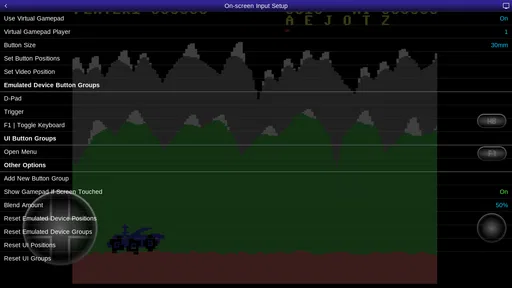
- Customizable on-screen controls and external gamepad support
- Save states make longer games easier to resume
- Works well with landscape layouts on phones and tablets
Limitations of C64.emu (C64 Emulator)
- Requires legally obtained game and software files
- Touch controls can feel cramped during fast-paced games
- Some titles may need manual configuration to run correctly
- The interface may feel dated or technical for beginners
- Performance and compatibility can vary between devices
Other Releases by Robert Broglia
View All
Snes9x EX+
Arcade4.2

MD.emu (Genesis Emulator)
Arcade4.2

NES.emu (NES Emulator)
Arcade4.3

GBA.emu (GBA Emulator)
Arcade4.3
Similar Picks in This Category
View All
Subway Surfers
SYBO Games4.6

Stickman Party 234 MiniGames
PlayMax Game Studio4.6

Subway Princess Runner
Ivy4.4

Temple Run
Imangi Studios4.2

Zombie Tsunami
Mobigame SAS4.6

Stack Ball - Crash Platforms
CASUAL AZUR GAMES4.5
Frequently Asked Questions
What is C64.emu, and what does it do?
C64.emu is an emulator that recreates the experience of using a Commodore 64 on a compatible Android device. After installing the app, users can load legally obtained Commodore 64 game and software files, configure virtual or physical controls, and adjust display and audio settings. It is designed for retro enthusiasts who want portable access to classic C64 titles rather than a collection of games included with the app.
Does C64.emu include Commodore 64 games or ROM files?
No. C64.emu generally does not provide commercial games, disk images, or copyrighted software as part of the installation. You need to obtain compatible files separately and should use backups or homebrew software that you legally own or are authorized to use. Before downloading, check the file formats supported by the current version and remember that downloading copyrighted ROMs from unofficial websites may violate copyright law.
How easy is C64.emu to control on a touchscreen?
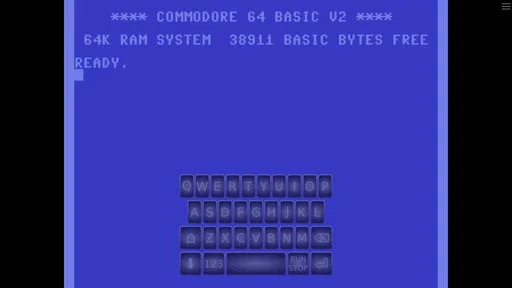
The app provides on-screen controls intended to reproduce the Commodore 64 keyboard and joystick experience, but touchscreen operation can take some adjustment, especially in games that require frequent keyboard input. Simple action games are usually easier to play than text-heavy adventures or programs with many commands. For a more authentic and comfortable experience, C64.emu is better suited to users who can connect a compatible Bluetooth or USB keyboard and game controller.
What devices and files are compatible with C64.emu?
Compatibility depends on your Android version, device hardware, and the specific C64 software image you want to run. The emulator is intended for Android phones and tablets, and most modern devices should have enough performance for standard Commodore 64 software. However, unusual disk images, demos, cartridges, or peripheral-dependent programs may require extra configuration. Checking the developer’s current documentation and testing your legally obtained files is recommended.
Is C64.emu worth downloading for modern Android users?
C64.emu is worth considering if you enjoy Commodore 64 history, retro gaming, homebrew software, or experimenting with classic computer emulation. It offers a convenient way to carry a virtual C64 and usually provides more flexibility than a basic game collection. It may not appeal to casual players who expect games ready to launch, modern graphics, or effortless controls. The best experience comes with legally sourced software and an external controller or keyboard.
Play our best games!


